Trade options – Preferences and filters
How do trade filters work?
You can control which proposals you receive based on your settings.
⸻
Receiving proposals (default mode)
When “Receive proposals for stars” is OFF, proposals follow the standard trading logic.
👉 In this mode, you receive proposals based on missing stickers.
What it means:
You will only receive proposals that include at least one sticker you are missing.
Global setting:
If you disable incoming proposals completely, you won’t receive any new trade requests.
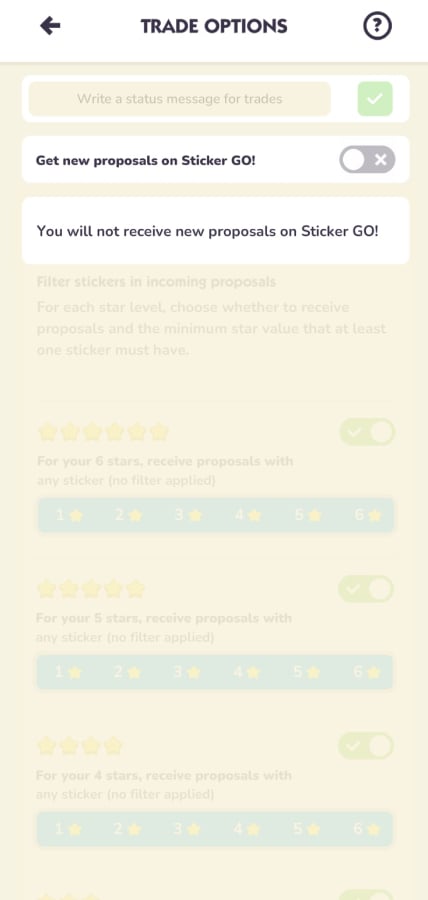
Enable/disable per level:
You can choose to block incoming proposals for specific sticker levels.
Filters by sticker level:
For each sticker level (e.g. 4⭐, 5⭐, 6⭐), you can choose which proposals to receive.
For example, for a 5⭐ sticker, you can require that the proposal includes at least one 5⭐ sticker you are missing.
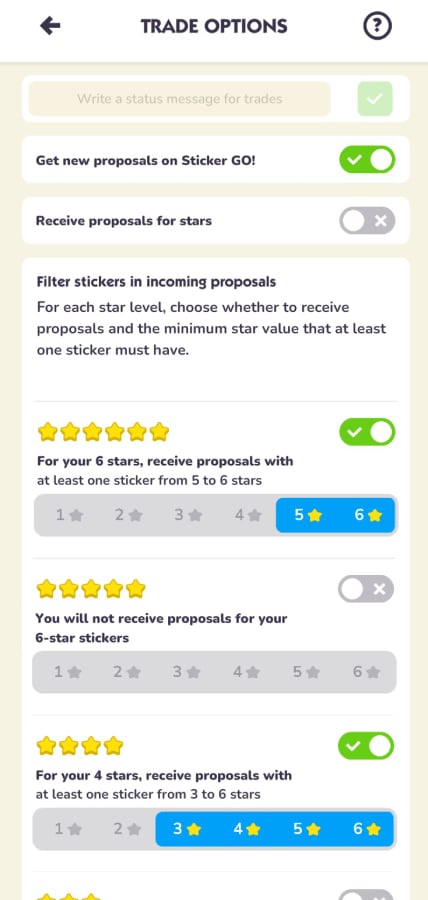
Set filters:
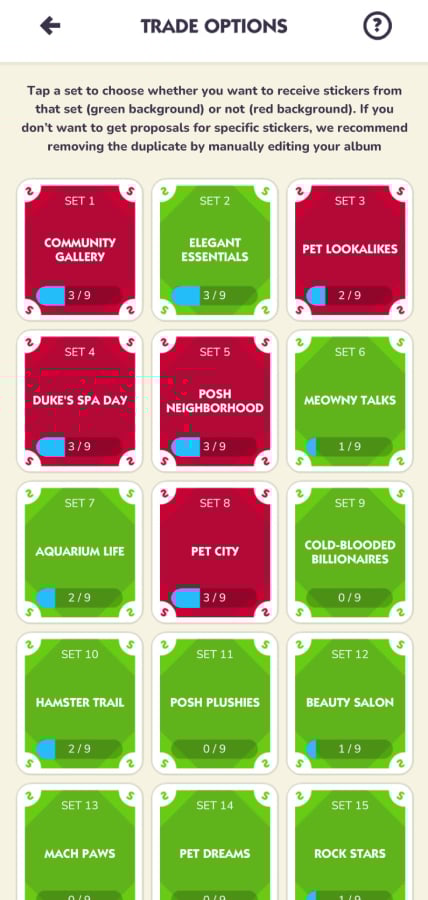
You can choose from which sets you want to receive proposals.
If a set is disabled (red), you won’t receive any proposals related to it.
⸻
Receiving proposals for stars
When “Receive proposals for stars” is ON, you can receive offers based on the total star value of the stickers, even if they are duplicates.
👉 In this mode, you receive proposals based on total proposal star value, not missing stickers.
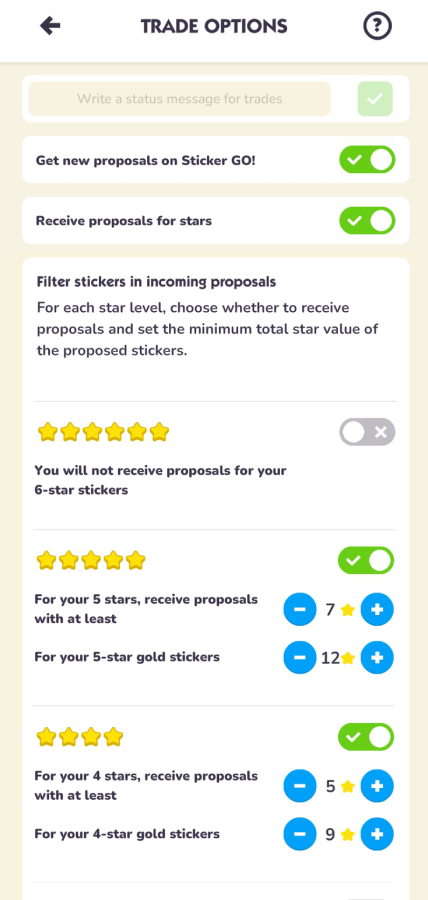
Enable/disable per level:
You can choose to block proposals for specific sticker levels.
Minimum stars required:
For each sticker level (e.g. 4⭐, 5⭐, 6⭐), you can set the minimum total star value a proposal must have.
Gold stickers:
You can set different minimum values for gold stickers.
Important:
The minimum star value refers to the total value of all stickers in the proposal, not a single sticker.
Note:
If your filters are too strict, you may receive fewer proposals.